


【3D Printing Applications】Snapmaker Single Extruder, Dual Extruder, and IDEX Independent Dual Extruder: Pros, Cons, and Comparison
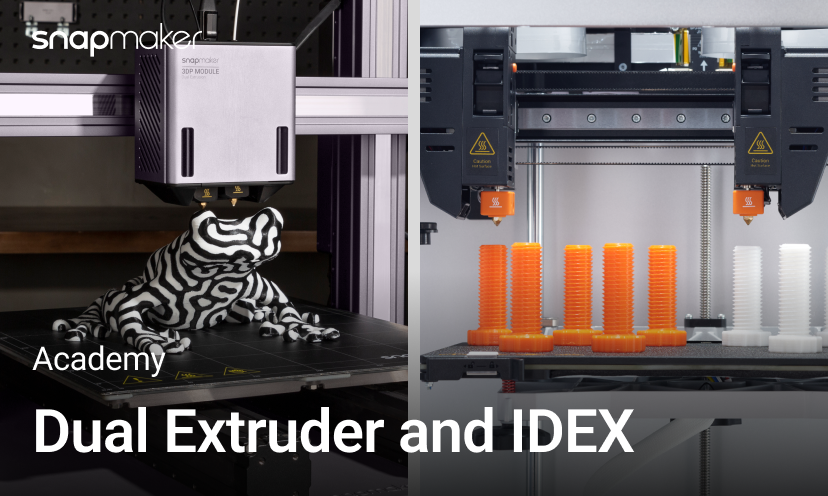
Most printers have only one extruder, while some have two. So, which is better, single or dual extruder? If you have a generous budget, two extruders are better than one in most cases. In fact, dual-extruder 3D printers have become increasingly common in recent years, even showing a trend of replacing single-extruder printers.
Why are dual-extruder 3D printers becoming a trend?
Two colors or mixed material printing
Dual extruders allow printing with two different colors or types of filament on the same print, enabling more complex and colorful prints.

Snapmaker Dual Extrusion 3D Printing Module installed on Snapmaker 2.0
Two-color printing is not uncommon. Even with a single extruder, similar results can be achieved by manually changing the filament. However, if you want to use two different materials on the same object, such as printing a flexible/rigid combined object with ABS and TPU, manually changing the filament can be very cumbersome. Moreover, due to the different optimal settings for the two materials, it can easily lead to print failures. Rather than taking the risk and effort, it's better to print them separately and then bond them together.

In contrast, with a dual-extruder printer, you can directly set different parameters for each extruder in the slicer software to complete dual-material printing in one print job.
Breakaway or PVA support combination
Formulations of breakaway support materials have lower interlayer adhesion and mechanical brittleness, allowing them to be removed with very little force. Being able to easily print removable (or "breakaway") supports is perhaps the main reason most people buy dual-extruder 3D printers. If time is limited, breakaway supports are easier to remove than PVA supports, maintain dimensional accuracy of the printed object, and result in a high-quality surface finish.

Breakaway support material
Soluble materials can dissolve in water or other solvents. The most commonly used is PVA (polyvinyl alcohol). It is very sensitive to moisture and will decompose in water. Utilizing this property, it can be used as a support material to fill hard-to-reach geometries, allowing liquid to flow into them. After printing is complete, immerse the print in water, and the support material will dissolve, leaving a smooth print surface.

Some additional functions
Dual extruders can also provide additional functionalities, such as backup mode. In single-extruder printing, if an extruder fails or jams, or runs out of filament, the other idle extruder can take over and complete the remaining print. This improves overall uptime and reliability.
Better performance in slicing software applications
Building a dual-extruder system by replicating parts is mechanically straightforward, but the real challenge lies in the software. The popularity of dual extruders goes hand in hand with the improvement of slicing software. Slicing algorithms are better at planning optimal toolpaths for dual extruders to minimize movement and retraction. They also excel at allocating different model parts to be printed by each nozzle, maximizing utilization and minimizing idle nozzles. Advances in software have made dual extruders more user-friendly and reliable, leading to their wider adoption.
Disadvantages of Dual Extruders
As the 3D printing industry develops, desktop printers today are more affordable and easier to use. Dual extruders have also become a common feature in many budget-friendly products, allowing more users to experience the benefits of dual printing. However, dual extruders also have some drawbacks:

Source: Simplify3d
• Cross-contamination and collisions: In dual-color printing, the idle nozzle may ooze material due to residual heat, causing contamination when gliding over the printed part, or even colliding with the printed part if the nozzle is too low.
• More maintenance: Twice the hot ends mean twice as many parts to inspect, clean, and replace in case of jams or clogs.
• Relatively smaller build volume: Since the extruder itself occupies a certain length on the X-axis, dual-extruder printers have a smaller build volume than single-extruder printers, given the same printer frame size. This is particularly noticeable when upgrading from a single extruder to a dual extruder.
The disadvantages of maintenance and build volume may be unavoidable, but cross-contamination and collisions can be resolved. The most common approach is to set retraction in the slicer, temporarily reversing the filament in the extruder during movement to prevent oozing.
Another method is to use a prime tower—printing another object simultaneously with the main print, providing a place for the non-active nozzle to clear oozed or leaked material instead of on the print. Similar solutions include ooze shields, which enclose the printed part, wiping off any oozed material on the shield as the nozzle approaches the part.

Ooze shield (Source: IceSL)
Some printers also have a wiping mechanism directly installed on the machine, at the same height as the nozzle, so that the nozzle can wipe off any residue as it passes over the mechanism. Simple and practical.

Snapmaker J1s nozzle wiping mechanism
However, this does not solve the collision problem, and prime towers/ooze shields increase time and material usage. In contrast, mechanically lifting the inactive nozzle seems more versatile. For example, the Snapmaker Dual Extruder Module uses motors to automatically raise/lower the nozzle, avoiding contamination/collisions and allowing for quick, quiet nozzle switching.

Automatic nozzle lifting device on the Snapmaker Dual Extruder Module
Finally, there is an ultimate solution – IDEX (Independent Dual Extruder) 3D printers. As the name suggests, the two extruders can move independently. When one extruder is printing, the other can remain inactive in a corner, without heating. When both extruders are active, they can print independently without interfering with each other. However, to further reduce the effects of oozing, IDEX printers can still use wiping mechanisms, retraction, prime towers, etc., during dual-extruder printing.

Independent vs. Dependent Dual Extruder Systems
Compared to ordinary dual-extruder modules, IDEX offers some advantages but also presents some challenges for manufacturers and users.

Snapmaker J1 printing in Duplicate Mode
Pros
• Minimal contamination and collisions: In dual-extruder printing, the idle extruder stays in a corner instead of moving with the active extruder. Before the next print job, the extruder can use a wiping mechanism or prime tower to wipe off any oozed material. Therefore, IDEX can effectively eliminate oozing contamination and collision issues.
• Mirror and duplicate printing: IDEX printers can simultaneously print two mirrored or identical objects, doubling productivity. This is very useful for mass production of small objects like chess pieces.
• Lighter weight, higher precision: Compared to mechanically linked dual extruders, IDEX printers have lighter, faster-moving single extruders with less floating mass, resulting in higher precision.
Cons
• More difficult to manufacture: Precisely aligning independent printhead gantries and nozzles requires strict manufacturing and assembly tolerances.
• More difficult to calibrate: Calibration is one of the biggest challenges in IDEX printer design. The two independent nozzles not only need to be calibrated with the bed but also with each other on the X, Y, and Z axes. Poor calibration can lead to cracks or even print breakage due to poor layer adhesion.
• Higher cost: IDEX not only has higher software development costs but also requires independent or semi-independent motion systems in terms of hardware, including motors and brackets for each printhead. If an X-axis is not shared, additional linear guides, lead screws, or belts are also needed. These factors mean that IDEX printers typically cost more than ordinary dual extruders.
How to choose between single extruder, dual extruder module, and IDEX independent dual extruder
Here are some things to consider when making your choice:
Single Extruder
• Simplest and most affordable option
• Easier to calibrate and maintain
• Limited to single-color/material printing
Dual Extruder Module
• Allows for dual-color or dual-material printing without significant filament waste
• Permits soluble and breakaway supports
• Higher cost than single extruder
• Potential for collision risks and idle oozing issues
• More troublesome calibration
IDEX Independent Dual Extruder
• Prints identical or mirrored objects twice as fast
• Dual-color or dual-material printing with minimal filament waste
• Permits soluble and breakaway supports
• Minimal collision or oozing risks
• Highest cost, requires calibration
Generally, for most hobbyist printing, a single extruder is sufficient. If you want to print in two colors or easily remove supports, consider a dependent dual extruder. For advanced applications or speed, an IDEX system might be ideal if your budget allows. Hope you find the printing method of your dreams!
- Contact Us -
3DMart offers more than just 3D printing, we provide three main OEM services: "3D Printing OEM", "3D Scanning Service", and "3D Spatial Scanning Service"!!
Follow our fan page for the latest news:
Facebook : https://www.facebook.com/3dmart.com.hk/
Instagram : https://www.instagram.com/3dmart
LinkedIn : https://www.linkedin.com/company/3dmart/
References